
Chess plus conversation
Video chat chess built around the match, not the meeting
ChessTV helps you meet a real opponent, play with live conversation and reactions, then connect after a good game. The board stays central while video, voice, clocks, chat, and rematches support the human side of chess.
Different from screen sharing
Why combine the call and chessboard
A common way to play face to face online is to start a general video call, open a chess site in another window, and continually switch between them. That setup works, but it divides attention. On a phone, one app may hide the other; on a laptop, the board becomes smaller; and game actions such as rematches or draw offers live far away from the conversation.
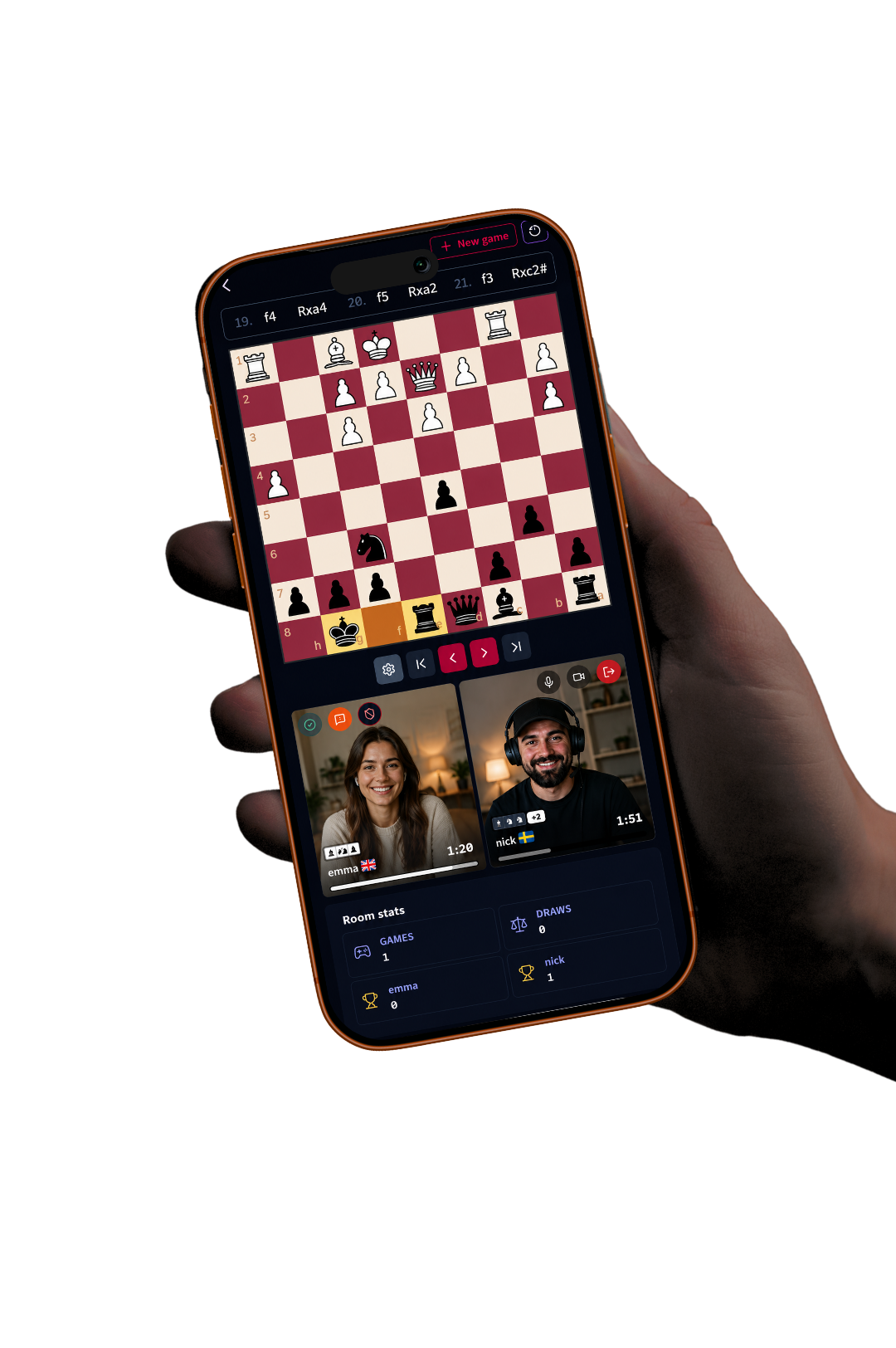
ChessTV treats the call and the chess match as one activity. Live video appears in compact player areas, while a responsive board, clock, player information, navigation, and game actions remain together. The result is closer to sitting across a table: you can look at the position, glance at your opponent, and speak naturally without managing several links and windows.
Chess-first controls
The game remains fast and readable
Video chat should not make the chessboard sluggish or unstable. The room interface sizes the board to the available screen and keeps controls below it on mobile. The most recent move is highlighted, premoves are supported, and move or capture sounds confirm changes without requiring the player to look away from the position. Promotion opens a focused piece choice over the board.
Clocks and player information are positioned with the colors they belong to and reverse appropriately when the board is flipped. Reviewing a completed game uses the same familiar navigation controls and sounds. These details matter because a video feature is only useful if the underlying chess experience remains dependable through fast exchanges, long calculations, and post-game analysis.
- Large responsive board
- Compact camera and voice controls
- Last-move highlighting and premoves
- Game history with smooth replay navigation
Control your presence
Camera is available, never compulsory
Some players want to see every reaction. Others prefer voice during a serious game and camera only before or afterward. ChessTV supports both habits. Each player can mute, disable video, or stop media from clear controls without leaving the room. If camera was enabled before a refresh, the preference is restored; if it was off, it remains off.
Quiet thinking is normal in chess, so silence should not be confused with absence. Players can calculate without filling every moment with conversation. When they do speak, voice makes it easy to agree on a break, discuss a finished position, or set up another game. Text chat remains available when someone cannot use audio or wants to share a short note.
Private by design
A two-player space for a known opponent
Video chat feels most comfortable when the participants know who can enter. ChessTV uses private room links and creator approval. A guest does not simply appear because they found or received the URL; the host accepts the join request. The room then associates its game history and statistics with the two players who built that match record.
This design suits friends, relatives, partners, coaches, and regular club opponents. It is not an open video lobby or public broadcast. The goal is a focused encounter between two people. Completed games are kept as chess records with moves and results, while the live call is not presented as recorded content. Players get continuity without turning a personal conversation into an archive.
Frequently asked questions
Useful answers before you play
What is video chat chess?
It is an online chess game with a live camera or voice connection integrated beside the board, so both players can converse and see reactions.
Why not use a separate video-call app?
You can, but ChessTV keeps the call, board, clocks, chat, results, and rematches in one responsive room, which is especially convenient on mobile.
Can I mute during the game?
Yes. Microphone and camera can be controlled independently at any point without ending the chess game.
Who can enter the room?
The creator shares the private link and approves the intended guest’s request before room access is granted.
Meet your next opponent face-to-face
Enter random matchmaking, share the board and the moment, and connect afterward when the game deserves a rematch.
Meet a random opponent