
Invite-only chess
Private online chess for two players who choose each other
Create an invite-only ChessTV room for a friend, relative, partner, or regular opponent. You control who joins, how you communicate, and when the next game begins.
Choose the opponent
Private chess begins with controlled access
Public matchmaking is excellent when the goal is to find any available opponent. It is less useful when you already know whom you want to play or when a conversation is part of the game. ChessTV private rooms start with a direct invitation. The host shares a room link and sees a join request before the guest is admitted.
That approval step provides a clear boundary. It helps when a link is copied into the wrong conversation or opened by someone other than the intended player. Once the correct guest is accepted, the room becomes the setting for their games, messages, voice, and optional camera. The experience is designed for a pair rather than an audience or rotating public lobby.
Agree before playing
Game offers keep both players in control
Entering a room does not force a game to start immediately. One player can offer a time control and color arrangement, and the other decides whether to accept. This is useful when friends are still testing audio, discussing how long they have, or reviewing the previous result. Each game begins as a mutual decision rather than an automatic countdown.
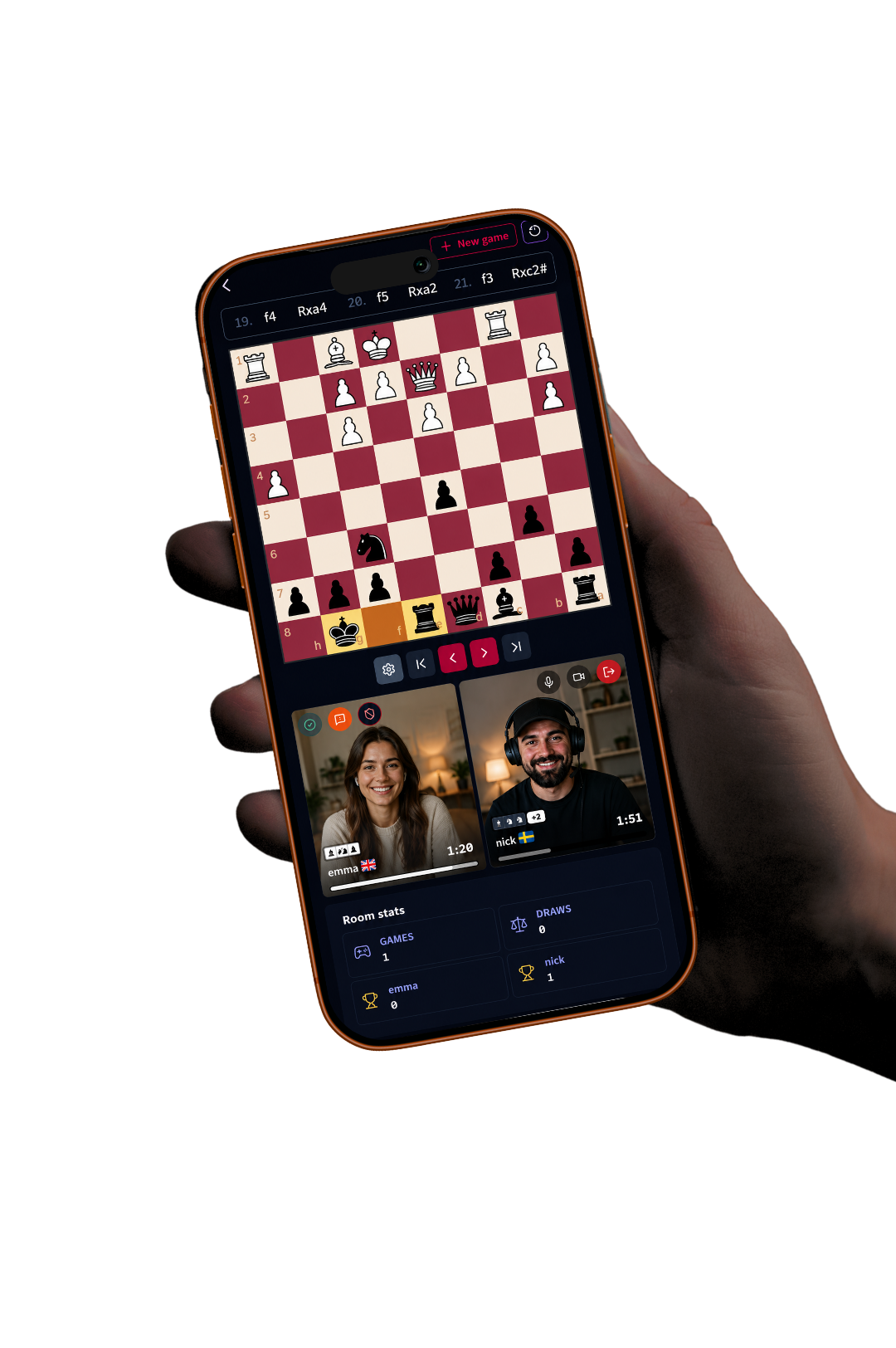
During play, familiar chess rules and actions are supported. Players move on a responsive board, use premoves in quick positions, select a promotion piece, and see the previous move highlighted. Draw offers travel with the offering player’s submitted move and appear as an unobtrusive response area beneath the board. Resignation requires confirmation to protect against accidental clicks or taps.
- Creator-approved guest access
- Mutually accepted game offers
- Selectable clocks and colors
- Non-blocking draw responses and confirmed resignation
Conversation on your terms
Use video, voice, chat, or just the board
Privacy is also about choosing how visible you want to be. ChessTV provides live camera and microphone controls, but neither needs to dominate the experience. A pair can play with video for face-to-face reactions, use voice only, communicate by text, or focus quietly on the game. Controls remain accessible beside the board navigation on smaller screens.
Because the chess state and the media connection are separate concerns, the match can continue through a temporary network disturbance in the call. Players can refresh and reconnect media while the board and game record remain available. Camera preference is remembered so a player who deliberately turned it off does not unexpectedly return on video.
A room with memory
Private does not mean temporary
Many private games are part of an ongoing series. ChessTV stores completed chess games in the room history, including moves and results, and summarizes total games, draws, and wins for both sides. These statistics are visible whenever they exist; they do not require both players to be currently online. Previously joined guest details can also continue to identify the shared record.
Players can return to an earlier game, navigate position by position, and download its PGN for analysis elsewhere. Move and capture sounds accompany historical navigation, making review feel connected to the original game. When both players are ready, they can offer another game in the same room. The private space therefore supports a continuing match, not merely a single encounter.
Frequently asked questions
Useful answers before you play
Is a ChessTV room public?
No. The host shares the room link and approves a guest’s join request before that player enters the private experience.
Can more than two people play?
ChessTV private game rooms are designed around one creator and one accepted guest playing each other.
Can we play without video?
Yes. Video is optional, and players may use voice, text chat, or the board without camera.
Are private games saved?
Completed game moves and results remain in room history and can be reviewed or downloaded as PGN. Live video is not presented as a recording.
Create your private chess room
Invite exactly the person you want to play, approve their request, and keep your games in one shared room.
Create a ChessTV room