
One screen, one activity
Online chess with a video call that stays connected to the game
Stop switching between a meeting app and a chess tab. Find someone new and share one purpose-built experience where the responsive board, live presence, clocks, chat, and match tools stay together.
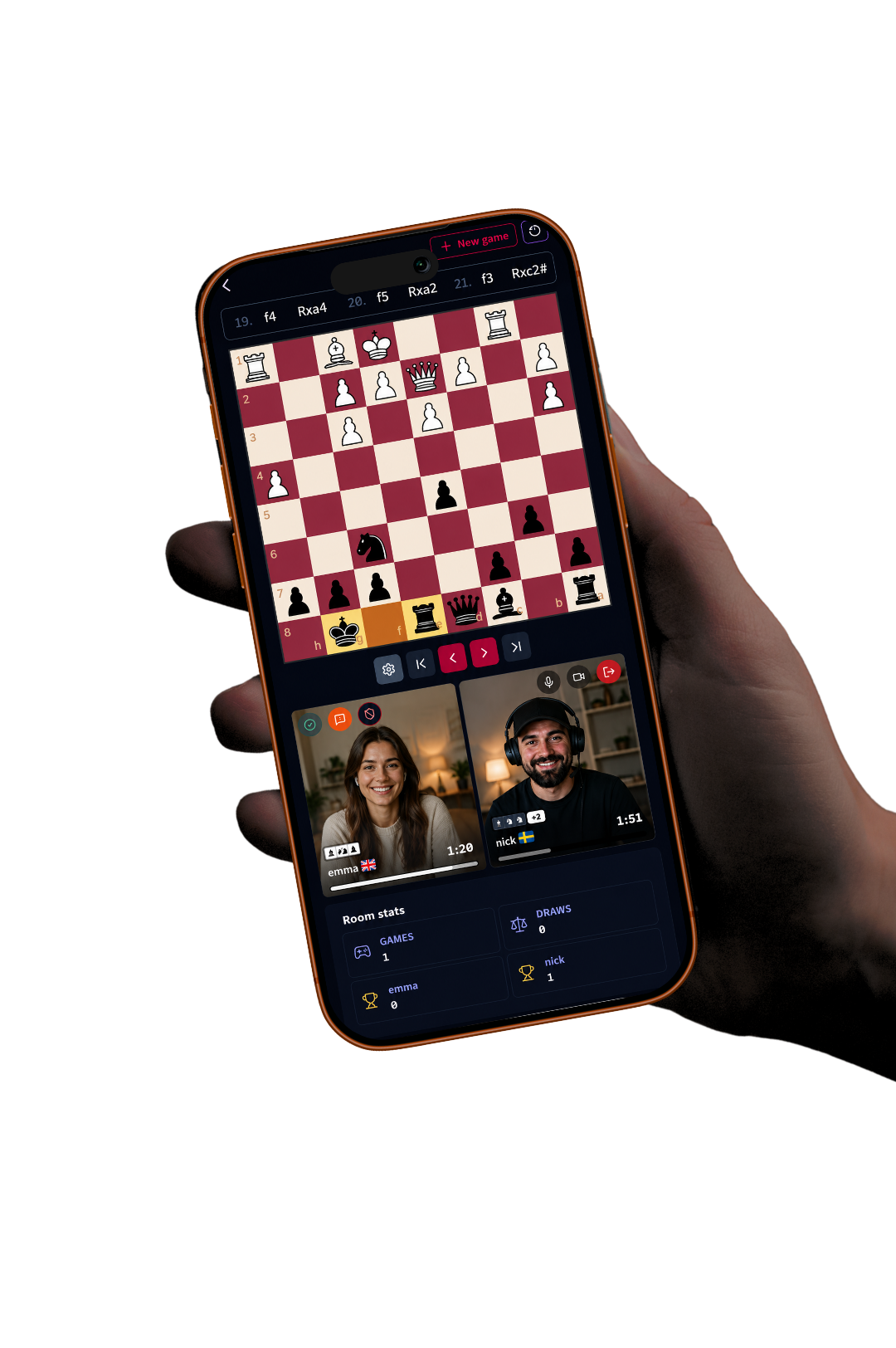
Less window switching
The problem with combining unrelated tools
Running a video call beside an online board sounds simple until both compete for the same screen. Notifications cover the position, keyboard shortcuts belong to the wrong tab, sound comes from several places, and on mobile only one activity may remain visible. A player ends up managing software at the exact moment they should be calculating.
ChessTV approaches the session as a single product. The chessboard is the main surface. Player video appears in compact areas, and media controls sit near board navigation rather than floating over squares. Voice, text chat, clocks, draw responses, resign controls, and rematches all belong to the room. The design reduces administrative work without removing the social benefit of a call.
A reliable chess layer
The board is not an afterthought
An integrated video call is valuable only when moving pieces still feels immediate. ChessTV supports legal move handling, last-move highlights, premoves, player-selected pawn promotion, board flipping, appearance controls, and move sounds. Player information and clocks stay associated with their side of the board and reverse when the board orientation changes.
Important actions are designed not to obstruct play. An incoming draw offer appears beneath the board rather than in a blocking dialog. The offering player chooses the intention before or after thinking, but the offer is delivered with the submitted move. Resignation is confirmed. After the result, a smaller responsive result panel shows key facts without taking over a phone screen.
- Responsive board and player panels
- Integrated, accessible media controls
- Non-blocking game notifications
- Fast historical move navigation with sound
Call controls with memory
Choose the right level of connection
Not every online chess call needs continuous video. A player may join by voice, enable camera for greetings, and disable it during the game. Another pair may keep video on because seeing reactions is the entire point. ChessTV exposes these choices without requiring either player to leave the room or restart the match.
Camera preference survives a page refresh, which prevents an unexpected state change after reconnecting. If video was off, it stays off; if it was on, the interface can restore that intent. The chess game itself remains authoritative, so a temporary media interruption does not decide the result. This separation lets the call enhance the experience rather than become a fragile dependency.
After the call
Keep the chess, not a recording of the conversation
When a standard meeting ends, little remains besides perhaps a recording nobody wanted. A chess session has a more useful artifact: the game. ChessTV stores completed moves and results in room history, makes PGN downloads available, and calculates simple room statistics. Players can return to the exact position they were discussing without recording their live video.
The history is also the foundation for the next call. Friends can open with a review, identify the move where evaluation changed, or continue a running match score. Statistics display when they exist even if the other player has not arrived yet. Once both are ready, a new game offer sets the clock and colors, and the next chapter begins in the same private room.
Frequently asked questions
Useful answers before you play
Do I need a separate video-call link?
No. ChessTV rooms include live voice and optional camera beside the online chessboard.
Will the video cover the board on mobile?
The room uses compact media areas and responsive controls designed to keep the board within the mobile viewport.
Does a call problem end the chess game?
The chess state and media connection are handled separately, so a temporary media interruption does not by itself end the game.
Can we review the game afterward?
Yes. Completed games remain in room history, can be replayed move by move, and can be downloaded as PGN.
Turn a random pairing into social chess
Meet someone over the board, see the emotion behind the moves, and connect if you want the conversation and rivalry to continue.
Meet a random opponent